
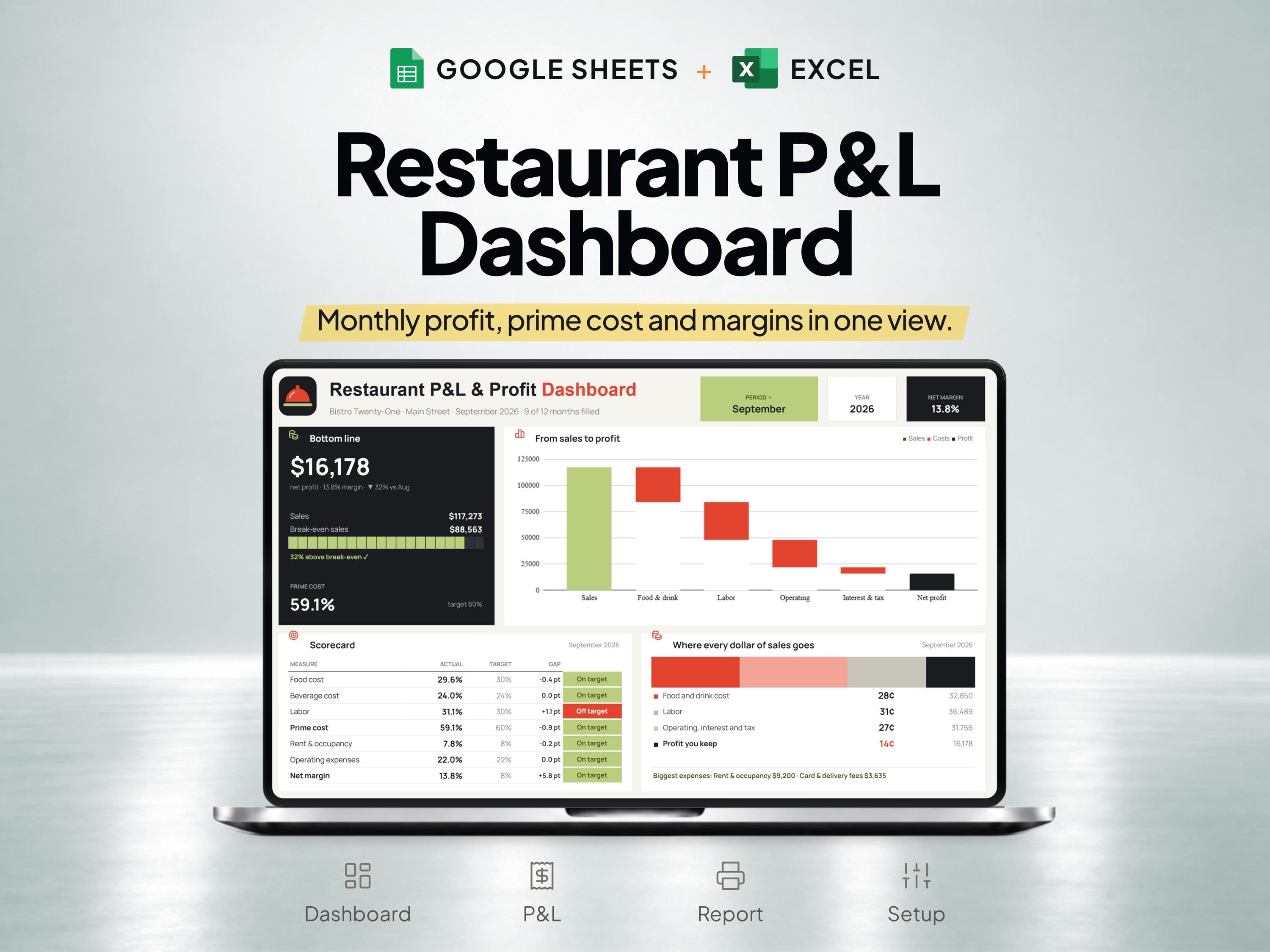
What is included
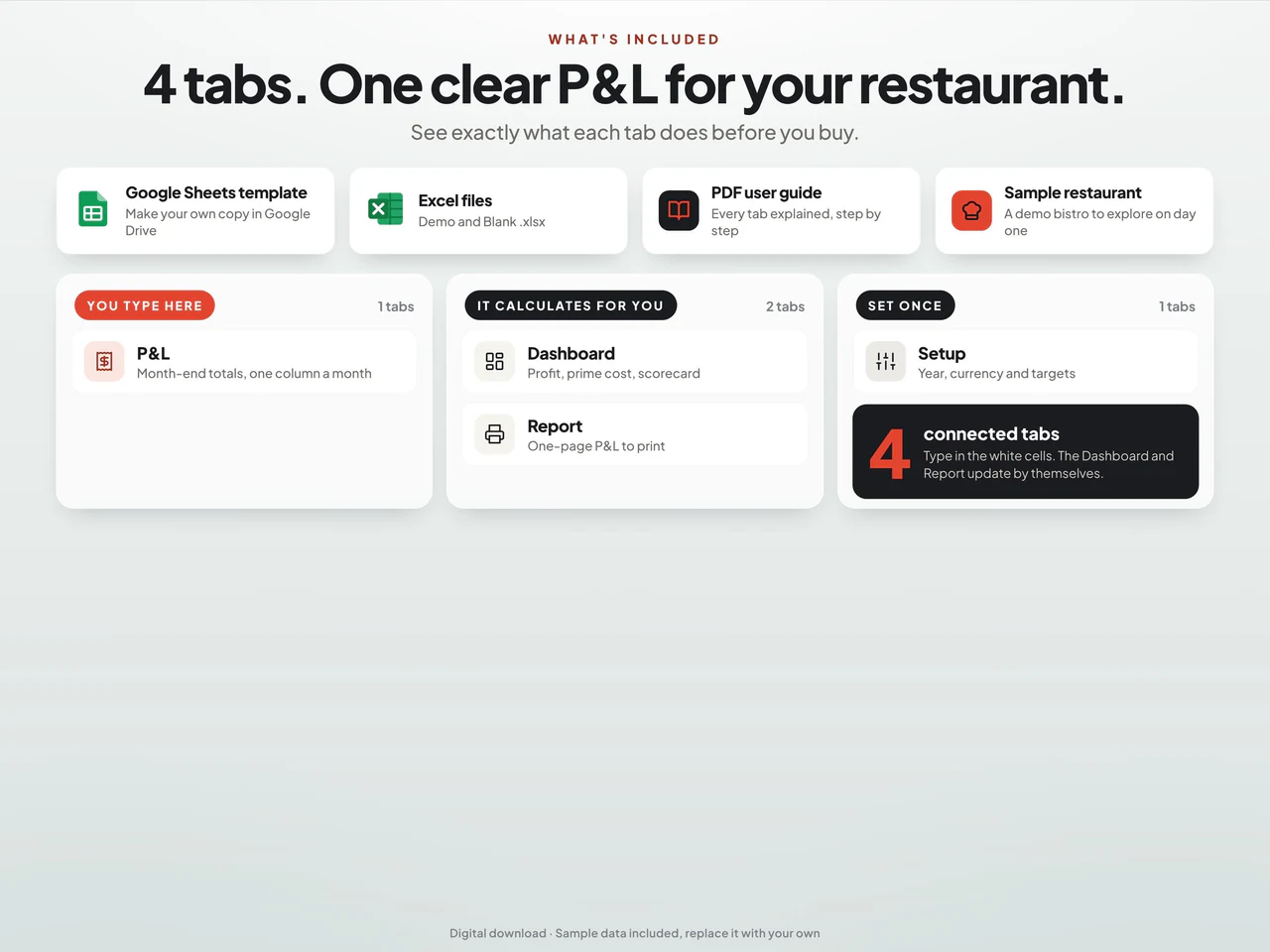
- Monthly input columns record sales, cost of goods, labor and editable operating-expense lines.
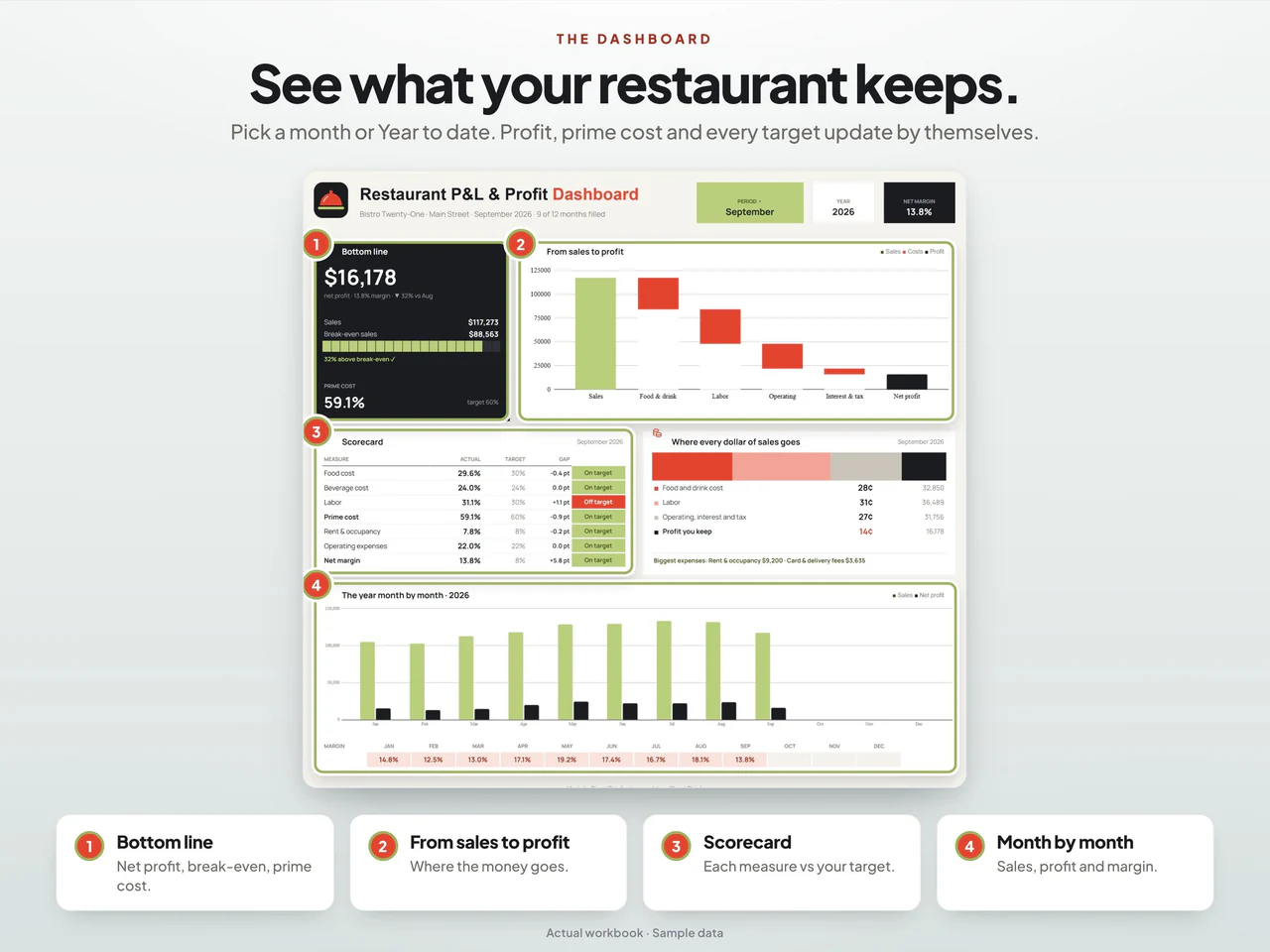
- Connected calculations summarize prime cost, operating and net results, margins and break-even sales.
- A dashboard and one-page report compare the selected period with entered targets.
- Includes Google Sheets, demo/blank Excel files and a guide; month-end totals are entered from your existing records.
Based on the Etsy listing reviewed October 28, 2026. Check the current listing for any later changes.
What to prepare
For the workflow this product is designed around, gather:
- Income records for the chosen period
- Cost records categorized consistently
- Supporting records for the prime-cost figures
A practical way to use your records
Choose the reporting dates before bringing the records together. Keep categories consistent from one period to the next and check that the figures use the same dates. Use the dashboard to review recorded results, then investigate unusual totals in the underlying entries.
A worked example
Fictional example: a restaurant owner reviews a period's prime-cost arithmetic using sales, cost of goods sold and labor for matching dates.
- Sales
- $40,000 for the period
- Cost of goods sold
- $12,000 for the same period
- Labor costs included
- $10,000 using the owner's stated definition
- Align the reporting dates and document which labor costs are included before comparing periods.
- Add cost of goods sold and labor, then divide that total by the matching sales figure.
Result: Prime cost is $22,000 and the illustrative prime-cost percentage is 55%. This is a defined-period comparison, not a target recommendation, and the remaining $18,000 is not net profit because other expenses are not included here.
Fictional figures explain the workflow; they do not represent customer results or guarantee particular template fields. See the included features above and the current Etsy listing.
A closer look at Restaurant Profit & Loss Spreadsheet with Prime Cost Dashboard
Additional previews from this product's Etsy listing. Open any image for a larger view.
Learn the method
Questions about this product
Does this include a prime-cost view?
Yes. Prime cost, an income statement and a financial dashboard are included.
Should sales and costs cover the same period?
Yes. A comparison is easier to interpret when the records use consistent reporting dates and categories.
Which spreadsheet formats are listed?
This product is described for Google Sheets and Excel. Confirm the included files, software requirements and delivery instructions on its current Etsy listing.


