
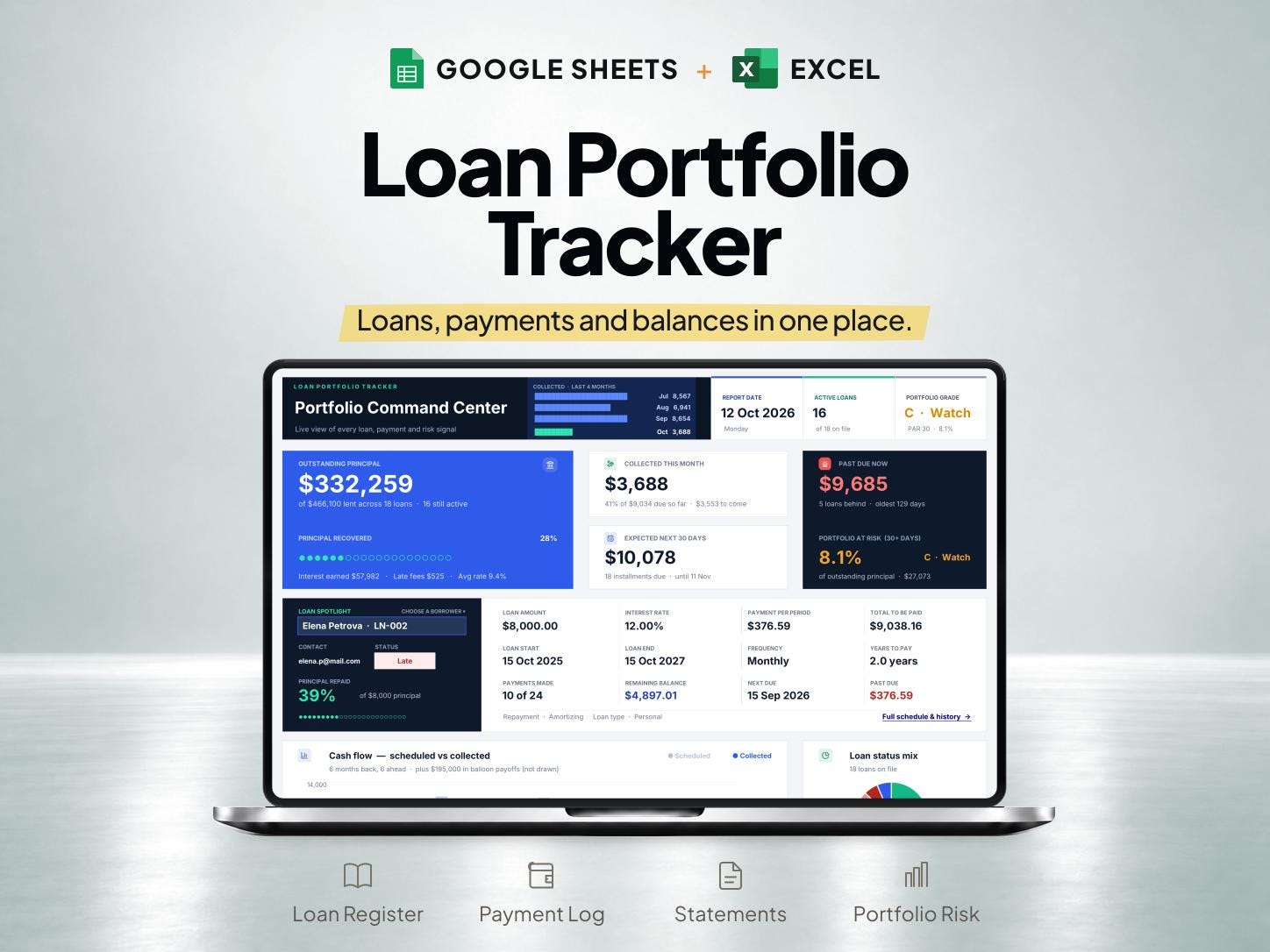
What is included
- Designed for loans you have given, with a register for borrower details and repayment terms.
- Supports amortizing, interest-only, flat-rate and zero-interest loans, plus a dated payment log.
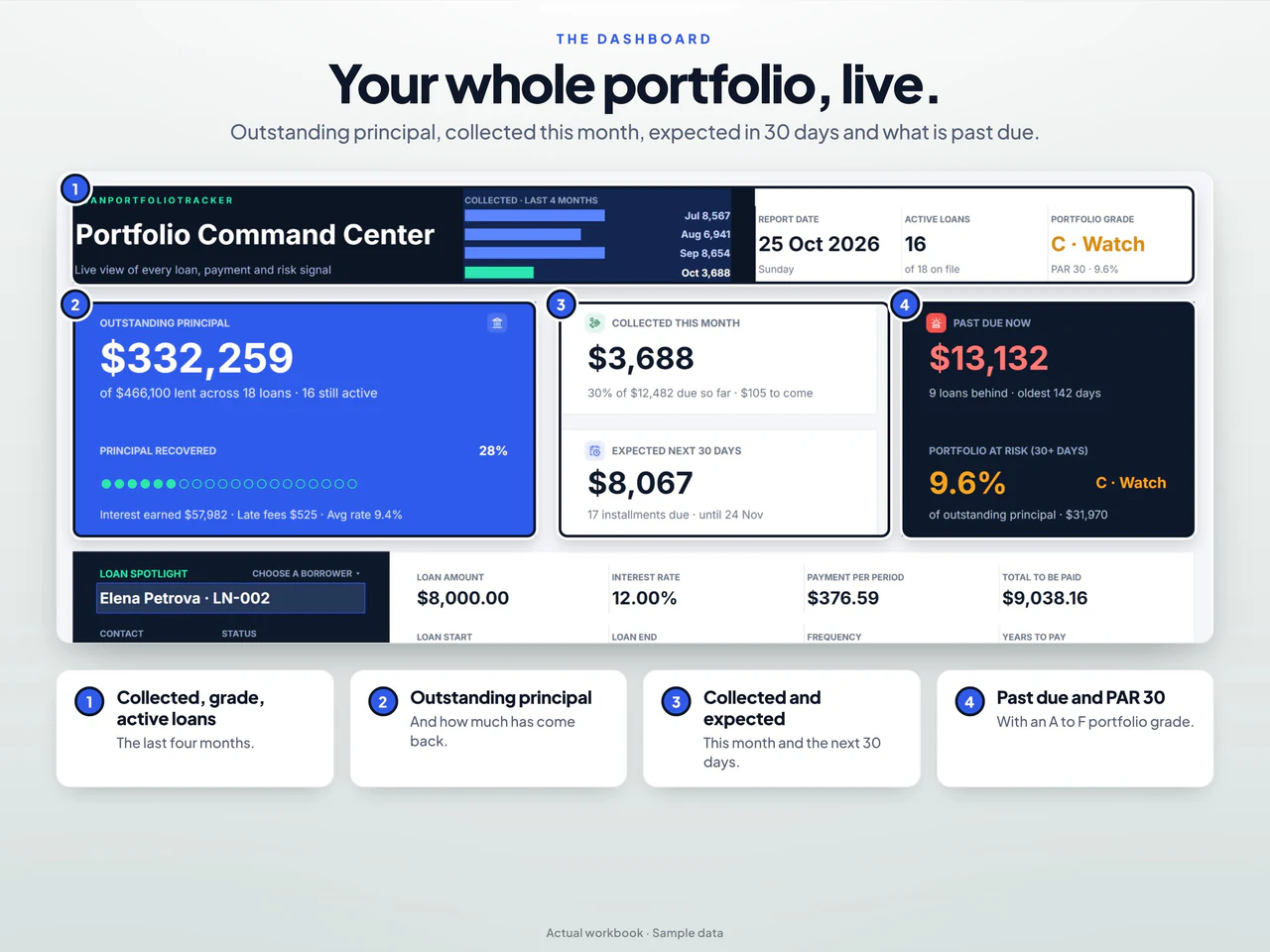
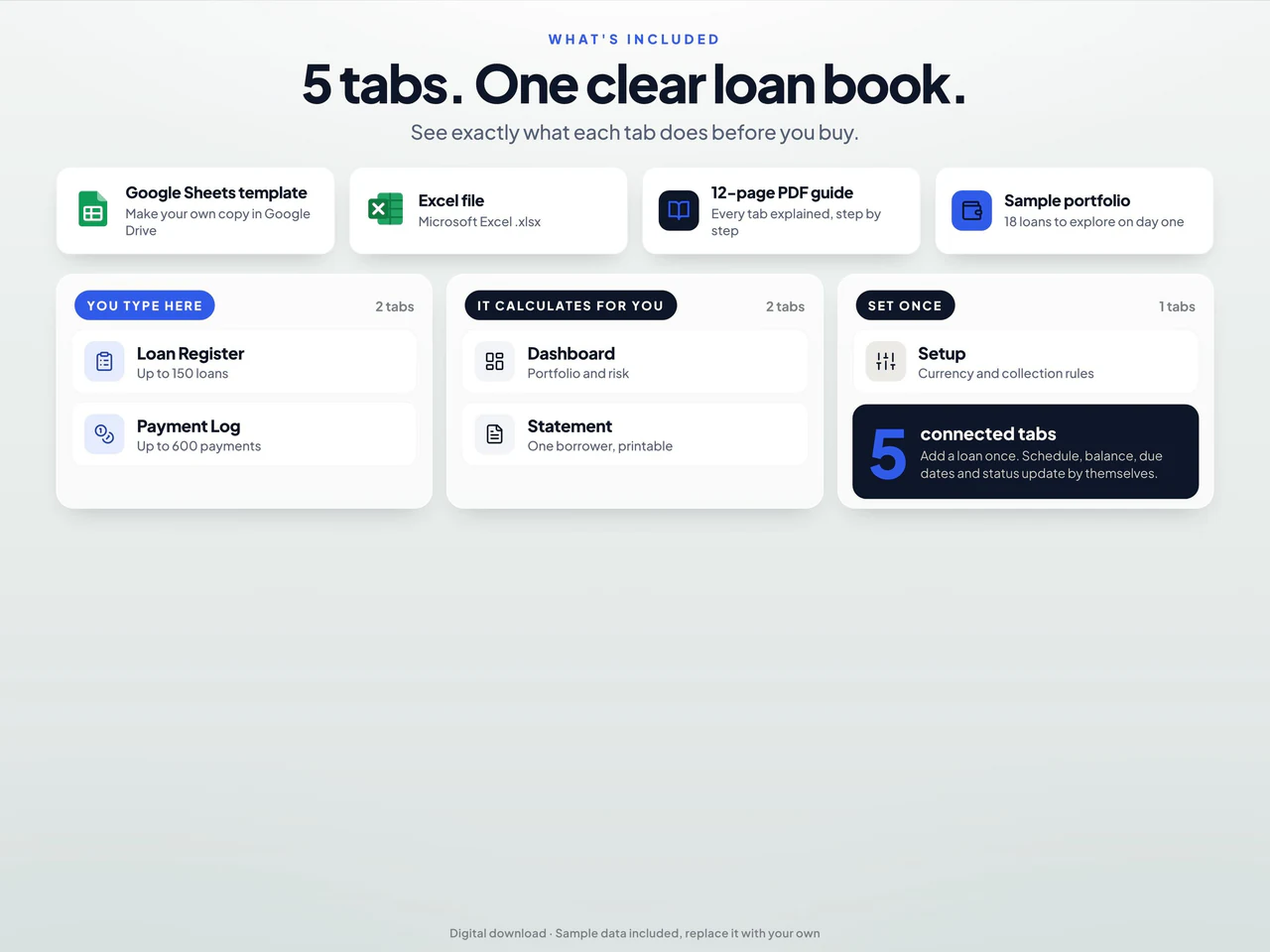
- Dashboard views and borrower statements summarize schedules, balances, upcoming payments and overdue records.
- Includes Google Sheets and a desktop Excel workbook; Sheets backup/sample/reset actions do not run in Excel.
Based on the Etsy listing reviewed October 28, 2026. Check the current listing for any later changes.
What to prepare
For the workflow this product is designed around, gather:
- The loan's recorded terms and opening balance
- Payment dates and amounts from source records
- The assumptions required by the schedule
A practical way to use your records
Set up the schedule using the terms that apply to the loan. Preserve individual payment records and compare them with the planned schedule. If terms or payment timing change, check how the spreadsheet handles the change before interpreting the remaining balance.
A worked example
Fictional example: a private lender checks payments received on a zero-interest loan they have given, using one borrower record.
- Loan principal
- $5,000 at 0% interest
- Agreed example schedule
- 10 monthly installments of $500
- First receipt
- $500 with its payment date and method
- Second receipt
- $500 with a different payment date
- Enter the borrower and agreed terms in Loan Register, then keep each received payment on its own Payment Log row using the correct loan ID.
- Review the borrower statement and outstanding balance after both receipts; keep any late-fee records separate from loan repayments.
Result: The two receipts total $1,000 and leave $4,000 of principal in this zero-interest example. The schedule and statement describe a loan given by the user; they are not a personal-debt budgeting example or a recommendation about lending terms.
Fictional figures explain the workflow; they do not represent customer results or guarantee particular template fields. See the included features above and the current Etsy listing.
A closer look at Loan Payment Tracker & Amortization Schedule for Google Sheets and Excel
Additional previews from this product's Etsy listing. Open any image for a larger view.
Questions about this product
Does this include payment history and an amortization schedule?
Yes. The loan tracker combines payment records and amortization scheduling.
Does a spreadsheet define the terms of a loan?
No. It organizes lending records and calculations. Use the actual loan agreement and statements as the source for terms and transactions.
Which spreadsheet formats are listed?
This product is described for Google Sheets and Excel. Confirm the included files, software requirements and delivery instructions on its current Etsy listing.


