
What is included
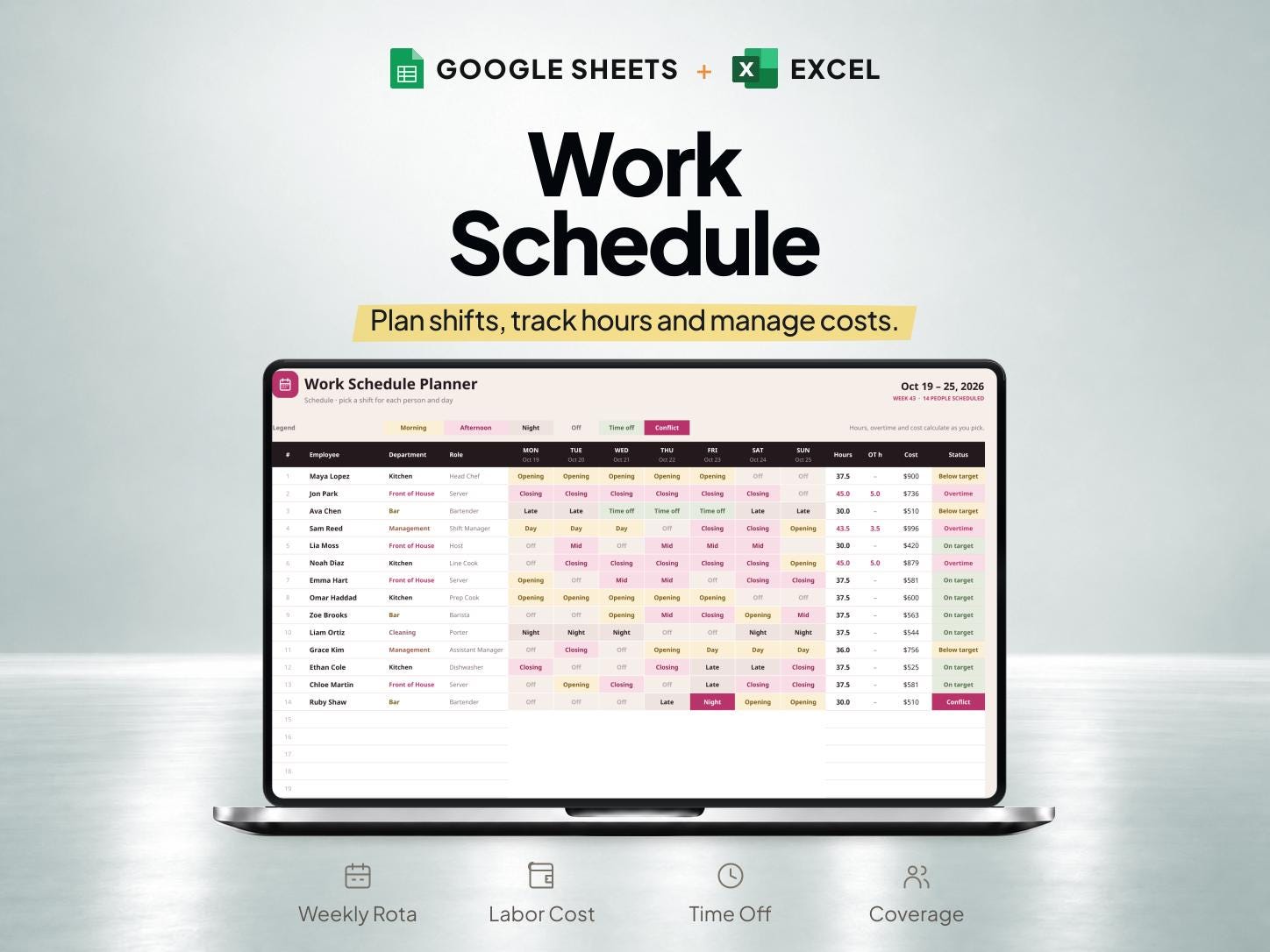
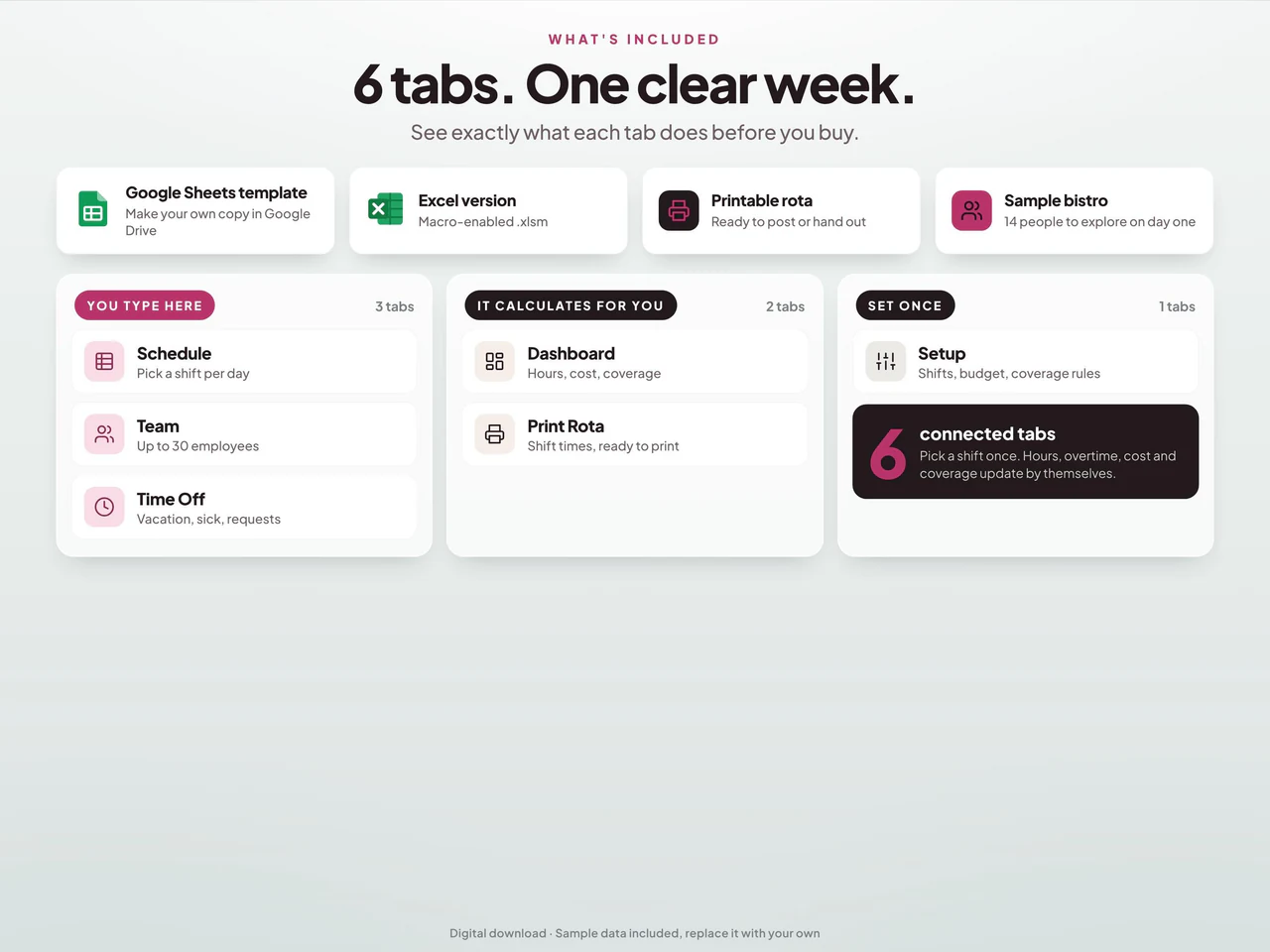
- Employee-by-day schedule uses shift dropdowns for up to 30 employees and 12 shift types.
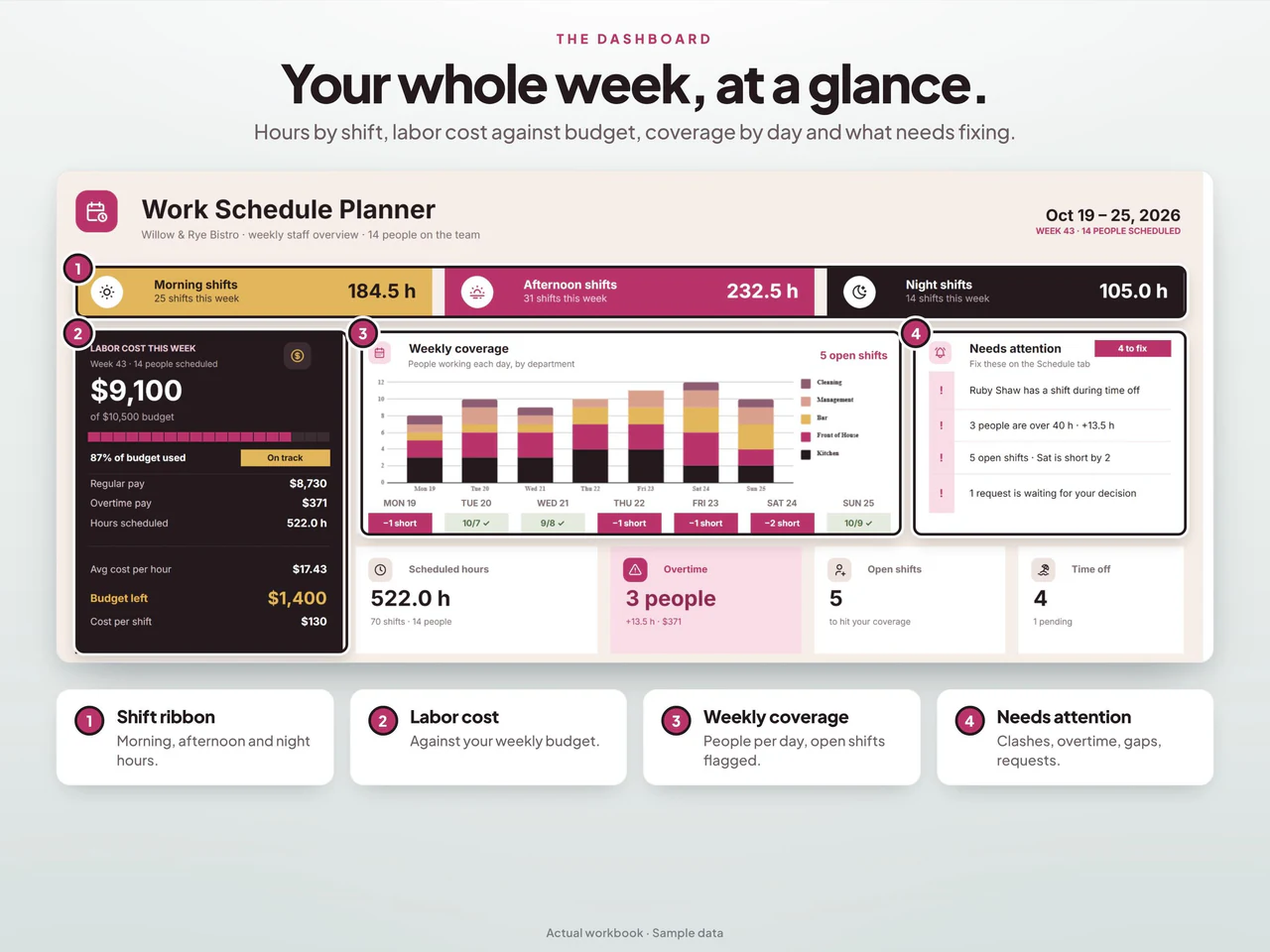
- Configured overtime, rates and weekly budgets feed scheduled labor-cost summaries.
- Coverage requirements, availability and time-off records highlight scheduling conflicts.
- Includes Google Sheets and a macro-enabled Excel workbook; Excel buttons require macros, while formulas work without them.
Based on the Etsy listing reviewed October 28, 2026. Check the current listing for any later changes.
What to prepare
For the workflow this product is designed around, gather:
- The period and shifts that need coverage
- Employee availability and approved time off
- The hours and cost assumptions used for planning
A practical way to use your records
List required coverage before assigning shifts and check availability as the rota develops. Review planned overtime and labor costs together with time-off records. Keep the agreed schedule clear when communicating changes to the team.
A worked example
Fictional example: a team checks coverage for three shifts after recording an employee's approved time off.
- Required coverage
- Morning, afternoon and closing shifts on Friday
- Availability change
- Employee A unavailable for the afternoon shift
- Review record
- The current rota version and agreed availability
- Compare the coverage requirement with the actual availability record before changing assignments.
- Review the revised schedule with the affected team, keeping planned hours separate from actual time worked.
Result: The schedule identifies the coverage gap that must be resolved before publication. Any overtime or payroll treatment requires the applicable rules and actual records; the example only demonstrates a shift-planning review.
Fictional figures explain the workflow; they do not represent customer results or guarantee particular template fields. See the included features above and the current Etsy listing.
A closer look at Employee Work Schedule and Shift Planner for Google Sheets & Excel
Additional previews from this product's Etsy listing. Open any image for a larger view.
Questions about this product
Are time-off and overtime records included?
Yes. The listing describes a staff rota with overtime, labor cost and time-off tracking.
Does this replace a payroll timesheet?
The described focus is work scheduling. Compare the separate employee timesheet and payroll spreadsheet for actual hours and pay records.
Which spreadsheet formats are listed?
This product is described for Google Sheets and Excel. Confirm the included files, software requirements and delivery instructions on its current Etsy listing.


